


 +971 56 432 2792














A stable and secure network infrastructure is the backbone of modern business operations. Whether you’re running a small business or managing a large enterprise, choosing the right network switch is crucial for performance, scalability and security. Cisco is a global leader in networking hardware. It offers a wide range of switching solutions to meet diverse business needs.
When evaluating options, the big question many B2B companies face is: Should we go with a managed or unmanaged switch? This blog breaks down the differences and helps you decide which type of switch, particularly from the Cisco Catalyst switches models, is the best fit for your organization.
What Is a Cisco Switch?
A network switch is a core component of any IT infrastructure, connecting devices within a local area network (LAN) and managing data traffic to ensure smooth communication.
Catalyst switches Cisco are among the most trusted in the industry, known for their reliability, scalability and advanced features. Cisco offers a variety of switch series under the Catalyst line such as the Cisco Catalyst 1000, 3000, 9000 and others, catering to businesses of all sizes—from small offices to complex enterprise environments.
Unmanaged Cisco Switches: Features & Use Cases
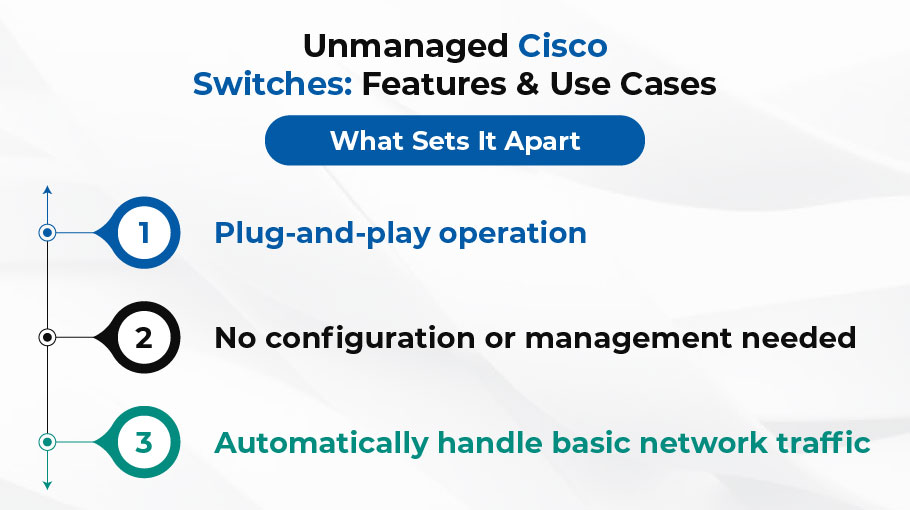
Unmanaged switches are straightforward, plug-and-play devices that require no configuration. These switches are ideal for environments where simplicity and ease of use are top priorities.
What Sets It Apart
- Plug-and-play operation
- No configuration or management needed
- Automatically handle basic network traffic
Use Cases
- Small offices with minimal devices
- Temporary or test environments
- Businesses with no dedicated IT staff
Pros
- Easy to install and use
- Affordable for small budgets
- Minimal maintenance required
Cons
- No support for traffic control or security policies
- Cannot segment networks (no VLAN support)
- Limited scalability for growing networks
Managed Cisco Switches: Features & Use Cases
Managed switches offer advanced capabilities for controlling, monitoring and securing network traffic. They are typically used in more complex and security-focused business environments.
Must-Know Features
- Full network configuration options
- VLAN support for network segmentation
- Quality of Service (QoS) for prioritizing traffic
- SNMP for network monitoring
- Redundancy and failover features
Use Cases
- Medium to large businesses
- High-traffic network.
- Data centers and remote offices
Pros
- Advanced network security and segmentation
- Centralized and remote management
- Optimized network performance
- Scalable and future-proof
Cons
- Higher upfront cost
- Requires trained IT staff or external support
For instance, businesses looking into Cisco Catalyst switches models like the Catalyst 9300 or 9500 series will benefit from robust management features and enterprise-level performance.
Key Differences at a Glance
| Feature | Unmanaged Switch | Managed Switch |
| Configuration | Not configurable | Fully configurable |
| VLAN Support | No | Yes |
| Security Features | Minimal | Advanced (ACLs, MAC filtering) |
| Scalability | Limited | High |
| Cost | Lower | Higher |
| Ideal Use Case | Small office/home office | Medium to large enterprise |
How to Choose: Factors B2B Companies Should Consider
When deciding between managed and unmanaged switches, B2B companies should evaluate the following:
- Network Size and Complexity: Larger networks with multiple departments typically need managed switches.
- Security Requirements: If your business handles sensitive data, managed switches are a must.
- IT Staff Expertise: Managed switches require network administration skills.
- Budget and Long-Term Growth: Unmanaged may save money upfront, but managed offers better ROI over time.
- Remote Management Needs: Managed switches enable centralized, remote configuration, which is crucial for distributed teams.
- Compatibility with Other Cisco Systems: Managed Catalyst switches Cisco are designed for seamless integration with other Cisco solutions like firewalls, routers and cloud platforms.
Cost-Benefit Analysis for B2B Environments
While unmanaged switches are less expensive initially, the cost of limited scalability and a lack of features can quickly catch up. Managed switches, particularly from the Cisco Catalyst switch models, offer long-term value through:
- Reduced downtime and faster troubleshooting
- Greater control over network performance
- Enhanced security and compliance support
- Adaptability to future network expansions
FAQs
What is the main difference between managed and unmanaged switches?
Managed switches allow full network configuration and monitoring, while unmanaged switches are plug-and-play with no configuration options.
Are Cisco unmanaged switches suitable for business use?
Yes, for small businesses or offices with simple networking needs and no dedicated IT staff.
Why Choose a Managed Cisco Catalyst Switch?
For advanced features like VLANs, quality of service, remote management and enhanced security—ideal for medium to large businesses.
Do managed switches require IT expertise?
Yes, they need setup and ongoing management, so trained IT staff or support is recommended.
Which Cisco Catalyst models are good for enterprises?
Models like Cisco Catalyst 9300 and 9500 offer enterprise-grade performance and advanced management features.
Conclusion
Choosing the right switch can significantly impact your network’s reliability, security and future scalability.
- Unmanaged switches are ideal for small, simple networks that require a quick and budget-friendly setup.
- Managed switches, especially from the Catalyst switches Cisco portfolio are ideal for businesses that need robust performance, flexibility and security.