


 +971 56 432 2792












When your internet slows down or your Wi-Fi isn’t secure, where do you turn first? Most people restart their devices, call their provider, or start looking for quick fixes online. But here’s the real secret: everything you need to manage your connection starts inside your Netgear WiFi Router login page.
Whether you’re setting up a new router from Techmatter UAE, upgrading your home network, or shopping for Netgear Routers Walmart, knowing how to log in gives you full control. It’s like having the keys to your digital home. Without them, you’re just stuck outside.
Importance of Netgear Router Login Page
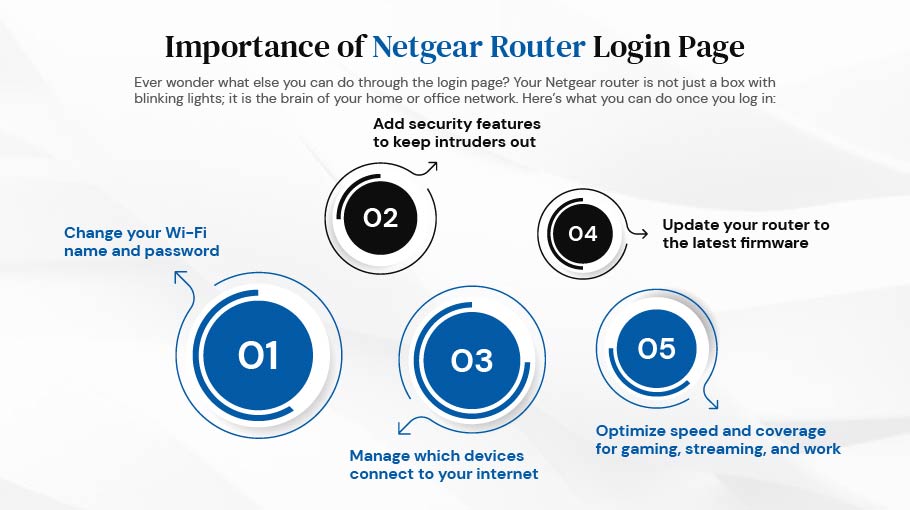
Ever wonder what else you can do through the login page? Your Netgear router is not just a box with blinking lights; it is the brain of your home or office network. Here’s what you can do once you log in:
- Change your Wi-Fi name and password
- Add security features to keep intruders out
- Manage which devices connect to your internet
- Update your router to the latest firmware
- Optimize speed and coverage for gaming, streaming, and work
If you ignore the login page, you’re leaving your network running on factory settings, basic, unsecured, and unoptimized.
Quick Steps to Access Your Netgear Router Login Page
The good news is that logging into your Netgear router takes less time than brewing a cup of coffee.
- Connect your device (PC, laptop, or phone) to your Netgear WiFi Router via Wi-Fi or Ethernet.
- Open your browser and type www.routerlogin.net or 192.168.1.1.
- Enter the default credentials:
- Username: admin
- Password: password (unless changed earlier)
- Hit Login.
What If You Can’t Log In?
Sometimes things don’t go smoothly. If you’re stuck, try these:
- Wrong Password? Reset your router and use the default credentials printed on the back.
- Page Not Loading? Double-check you’re connected to the router’s Wi-Fi, not mobile data.
- Still Slow? Use a wired connection for faster access.
Think of troubleshooting like finding your keys; you usually realize they were in your pocket all along.
Why You Should Change Default Settings Immediately
Leaving your router on default login details is like leaving your front door unlocked. Hackers can walk right in. Once you access the dashboard, go to Administration > Set Password, and create something strong and unique. This small step ensures your Wi-Fi stays yours, not your neighbor’s free internet.
Features You Can Control After Logging In
Once you’re inside, the Netgear dashboard gives you plenty of useful options:
- Parental Controls: Limit screen time or block harmful sites.
- Guest Wi-Fi: Give visitors internet access without sharing your main password.
- Device Management: See who’s using your bandwidth and block strangers.
- Firmware Updates: Stay safe from security risks with the latest updates.
If you’ve ever felt like your Wi-Fi doesn’t “listen” to you, logging in is how you take control.
Using the Netgear Nighthawk App
Don’t want to deal with IP addresses? The Netgear Nighthawk App lets you log in, run speed tests, and manage Wi-Fi straight from your phone. It’s perfect for busy professionals or families who want quick access without the tech jargon.
Why Buy a Netgear WiFi Router from Techmatter UAE or Walmart?
With so many routers to choose from, the right router for you will vary widely. Techmatter UAE has original, high-quality networking solutions for homes and businesses. You might also consider browsing internationally. Netgear Routers Walmart are a popular product that is a viable option for price and accessibility.
But here is the big difference: When buying at Techmatter UAE, you do not buy just a router; you buy local support, local recommendations, and local after-sales service that Walmart is never going to provide. This is the value of shopping with a trusted regional distributor.
Security Best Practices
Your router is the gatekeeper of your digital life. Here’s how to keep it secure:
- Always change the default password.
- Use WPA2 or WPA3 encryption for Wi-Fi.
- Update firmware regularly.
- Avoid sharing your main Wi-Fi password with everyone; use Guest Wi-Fi.
Think of it like locking your house, setting up security cameras, and having a guard dog all rolled into one.
When to Contact Support
If you’ve tried logging in and still can’t manage your router, don’t panic. Not all issues can be solved without a professional, such as firmware corruption, advanced configurations, or faulty hardware. This is where Techmatter UAE can assist you. We can provide you with advanced network solutions, setup, and product help for Netgear users in the UAE!
Frequently Asked Questions
1. Can I log into my Netgear router from my phone?
Yes, either through your browser or by using the Nighthawk App.
2. What happens if I forget my router password?
You can reset the router to factory settings and use the default credentials.
3. Do all Netgear models use the same login method?
Most models use www.routerlogin.net or 192.168.1.1 with default credentials.
4. How often should I update my router firmware?
Check every 2–3 months, or set it to auto-update for better security.
5. Why buy from Techmatter UAE instead of Walmart?
Techmatter UAE offers expert support, personalized networking advice, and after-sales service designed for the UAE market.
Conclusion
Logging in to your Netgear router is not simply a technical operation; it is an exercise in transforming your internet experience and ownership over it. You are logging in to your router, whether it is to secure your Wi-Fi signal, optimize its speed, or upgrade to the newest features; logging in is the first step.
So, if you’re in the UAE looking for reliable networking solutions, explore our wide range of Netgear WiFi Router options at Techmatter. And if you’re looking worldwide, Netgear Routers Walmart are also generally available. The only difference is who is there to support you after purchase. At Techmatter UAE, we’re here so you can stay connected, secure, and ahead of the game.