


 +971 56 432 2792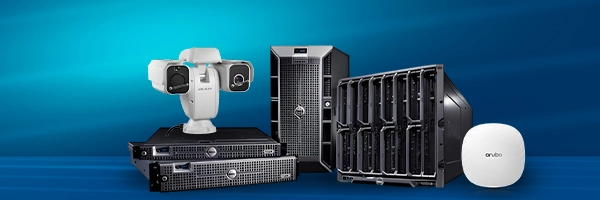













Have you seen a security guard standing at a door, checking everything that tries to pass the door? A firewall does the same thing. But it is in the form of a core network device or software that enforces rules about which network traffic is allowed in and out of an IT environment, such as a computer.
At its simplest, a firewall separates trusted internal systems from untrusted networks (such as the Internet) and applies rules to permit, block, or log traffic. Firewalls are a foundational element of network firewall security and remain one of the first lines of defense for any internal system.
This post will explore what a network firewall is, how it works, its types, its importance, and best practices to follow to ensure good firewall security.
How Network Firewall Security Works
A network firewall inspects traffic at defined points, such as at the edge of the corporate network, between network segments, or inside cloud environments. Traditional firewalls perform packet- and connection-level checks while newer firewalls add deep inspection of application traffic, user identity, and content.
These layered checks let administrators create rules that reflect both technical needs, like ports and IPs, and business needs, such as applications and user roles.
- Stateful vs Stateless Inspection
Stateful firewalls track the state of network connections and make decisions based on the context of traffic flows. Stateless firewalls handle each packet independently, which can be faster but less flexible. Choosing the right mode depends on performance and security requirements.
- Next-Generation Firewalls (NGFW)
Modern or next-generation firewalls combine classic filtering with application awareness, intrusion prevention, and URL filtering. NGFWs are designed for enhanced firewall security that needs to control apps, users, and content, not just ports and protocols.
Network Firewall Types & Deployment Models
Common types of firewalls and their deployment models are as follows:
- Hardware Appliances: Physical devices are deployed at network edges or data centers.
- Virtual Firewalls: Software appliances running in virtual environments or clouds.
- Host-Based Firewalls: Software running on endpoints (workstations or servers).
- Cloud-Native Firewall Services: Provider-managed controls in public cloud platforms.
Each deployment model supports different business needs. For example, hardware appliances control high throughput, virtual firewalls ensure flexible scaling, and host-based firewalls provide endpoint protection. Combining models creates a layered network firewall security across an environment.
What Firewalls Can and Cannot Do
Firewalls reduce the attack surface by enforcing policy at choke points and generating logs for investigation. They stop many automated attacks, block unauthorized remote access, and help detect suspicious patterns before intruders move laterally.
Firewalls also support compliance by enforcing segmentation and recording access attempts. Industry guidance recommends a documented firewall policy and ongoing rule reviews to avoid misconfigurations that create risk. Firewall protection still matters!
However, a firewall is not a complete security solution. It cannot protect unencrypted data sent over application protocols (like email, FTP, or Telnet), fix insecure applications, stop malicious insiders, or prevent attacks that start from inside the protected network.
To address those gaps, you need complementary measures such as encryption, endpoint protection, strong access controls, and monitoring.
Practical Controls and Best Practices for Effective Firewall Management
Good network firewall management covers policy, operations, and verification, which are explained as follows:
- Define a Clear Firewall Policy
Document which services and ports are permitted, how networks are segmented, and which remote-access methods are approved. A written policy guides rule creation, supports audits, and ensures consistent decisions during configuration changes.
- Least-Privilege Rules
Allow only the traffic that is essential for a service or user, and block the rest by default. Deny-by-default reduces exposure to unexpected services and limits lateral movement if a compromise occurs.
- Regular Rule Audits and Cleanup
Stale rules grow over time. Audit and remove them periodically. Recent best practices emphasize scheduled audits and rule rationalization. Removing stale rules lowers complexity, reduces misconfiguration risk, and improves the accuracy of security controls.
- Keep Firmware and Signatures Current
Apply vendor firmware updates and threat-signature feeds to close known vulnerabilities and enhance detection. Timely updates prevent attackers from exploiting patched flaws and ensure the firewall’s protection stays effective.
- Monitor Logs and Enable Alerts
Combine firewall logs with SIEM or monitoring tools to spot anomalies quickly. Real-time alerts let teams act quickly on incidents, shortening detection and response times.
- Test Changes in Staging
Validate new rules and policy changes in an isolated test environment before applying them to production. Staging prevents outages, reveals unintended access paths, and verifies expected behavior under realistic traffic.
- Combine With Other Controls
Use firewalls with endpoint protection, intrusion prevention, and strong authentication for layered defense. A multi-layer approach fills gaps that a single control can’t cover and increases the overall resilience of your security posture.
Final Thoughts
A well-implemented firewall is a key part of a defensive architecture deployed as a hardware appliance, a virtual instance, or a cloud service. Enforcing rules, producing audit trails, and integrating with other security tools, network firewall security gives teams the controls and visibility needed to protect critical systems and data.
Regular policy reviews, updates, monitoring, and testing keep firewall security effective as threats evolve. For enterprise-grade hardware, vendor selection, and ongoing support, TechMatter UAE provides certified firewall solutions and professional services to implement and maintain active network firewall environments. Contact us today for effective security advice and customized product options.
FAQs
- How do firewall subscriptions and licensing typically work?
Many firewall vendors sell platform licensing in tiers, such as basic throughput/license, plus subscriptions for threat intelligence, URL filtering, intrusion prevention, or advanced sandboxing. Costs may be per-appliance, per-user, or per-feature.
- Can firewall logs satisfy regulatory audits?
Yes, firewall logs are commonly used as audit evidence for segmentation, access attempts, and incident timelines. For regulatory purposes, keep logs for required retention periods and ensure time synchronization and integrity controls.
- What effect do firewalls have on encrypted traffic?
Inspection of TLS/SSL traffic requires explicit measures (TLS interception or TLS inspection) that can decrypt, inspect, and then re-encrypt traffic. This adds processing overhead and requires strong certificate management and privacy considerations.
- How do firewalls differ from IDS/IPS?
Firewalls enforce policy on permitted traffic. Intrusion detection/prevention systems (IDS/IPS) analyze payloads for suspicious signatures or behavior. Many NGFWs combine both capabilities, but standalone IDS/IPS may offer richer detection engines.
- What is Secure Access Service Edge (SASE), and how does it relate to firewalls?
SASE merges networking and security functions (like firewalling, SWG, CASB) into a cloud-delivered service to protect distributed users and cloud assets. SASE can replace or augment traditional perimeter firewalls for cloud-first organizations.